 deepblick
Keep the logic in your sheet.
Write native Excel formulas that continue calculating as worksheet values change.
Describe your Excel task. Deepblick imports data, updates formulas and writes VBA. You review the result.
Deepblick writes, compiles, runs and fixes the VBA in your workbook. The code lives in the separate VBA editor. You don’t carry it between windows.
Read and change the modules already in the file, or build new ones next to them.
Deepblick reports whether the macro started, finished without a runtime error, and whether it checked the result.
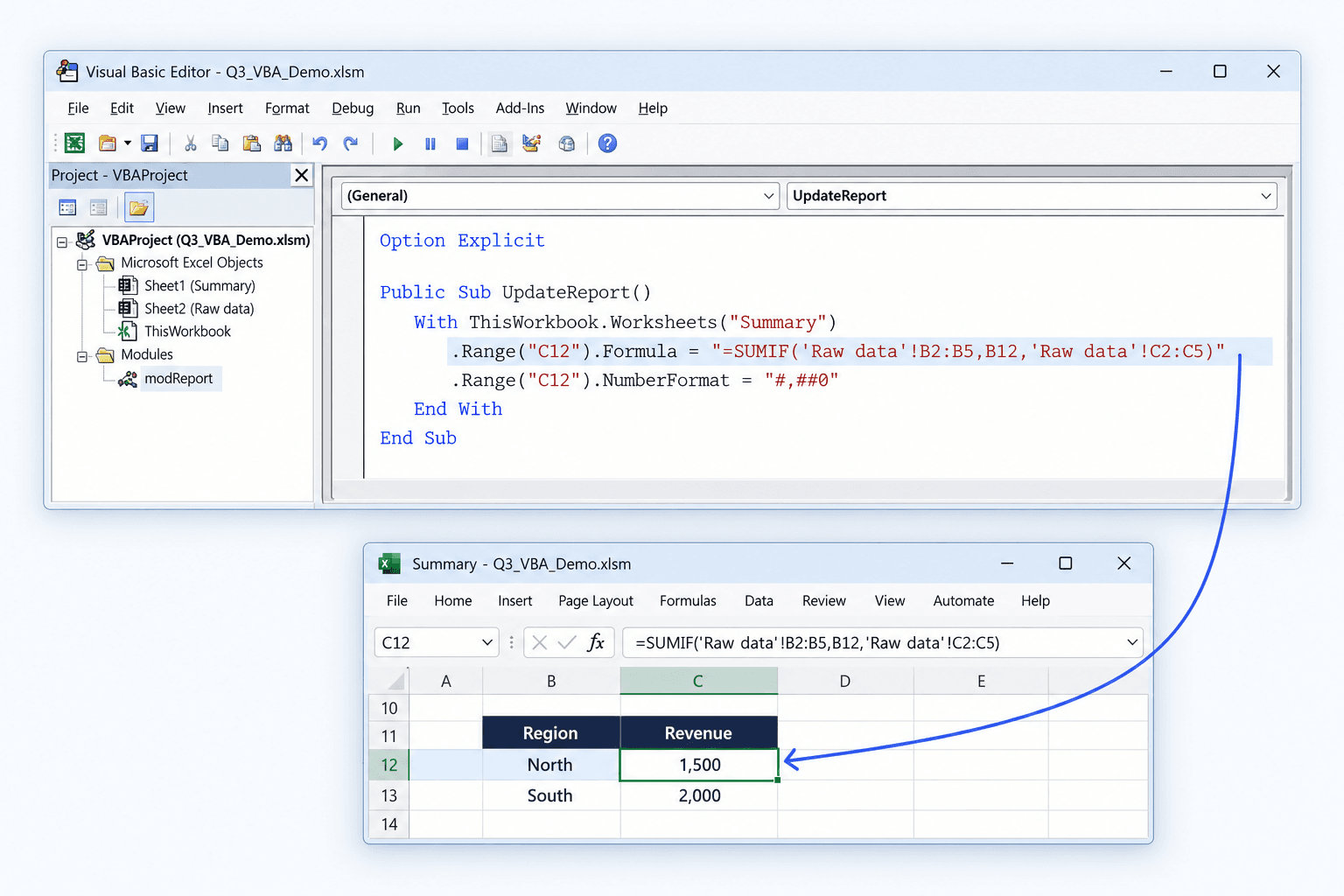
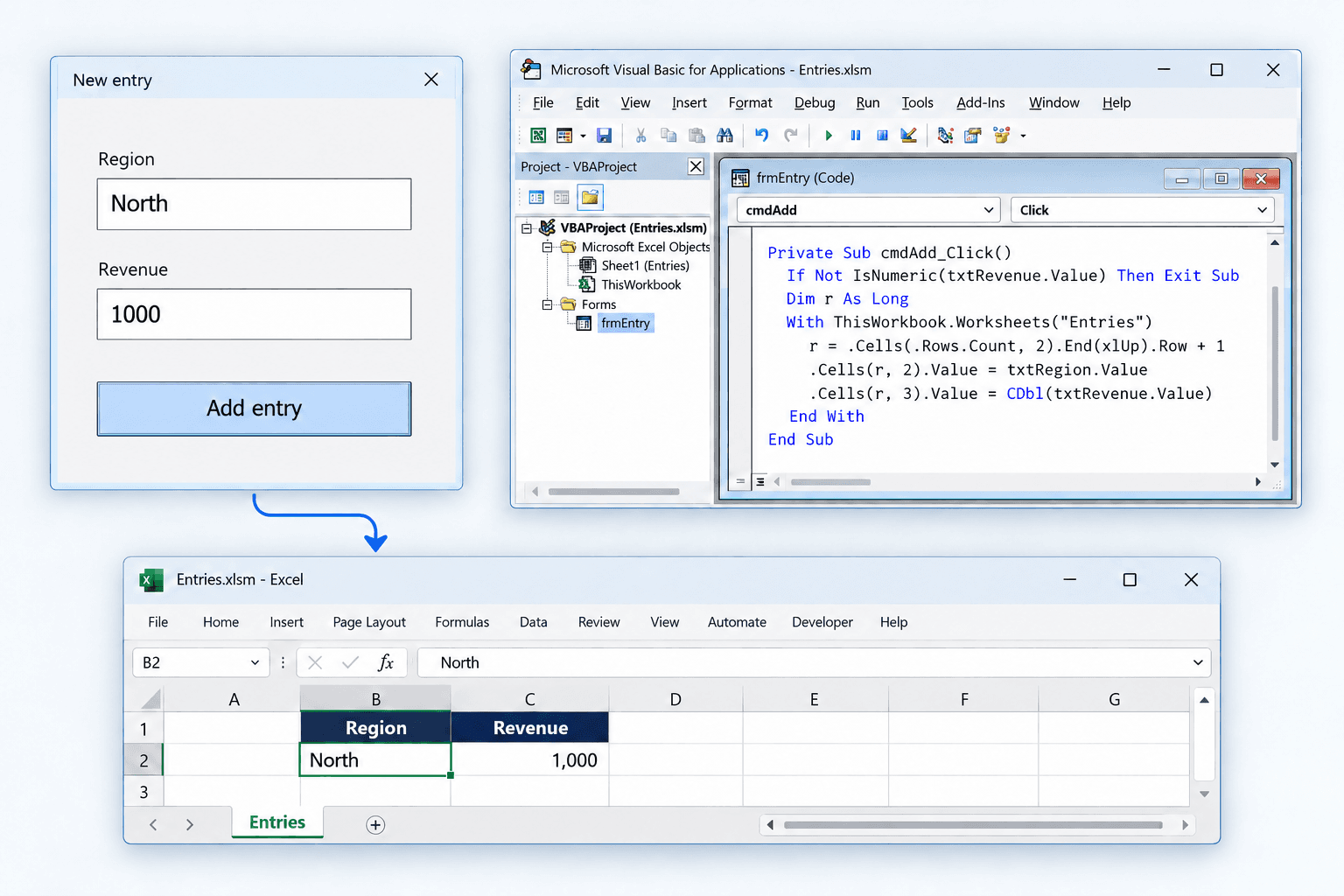
Build VBA forms, worksheet buttons and the code behind them.
Formulas, formatting and charts, in the same conversation as the code. The work takes shape in Excel.
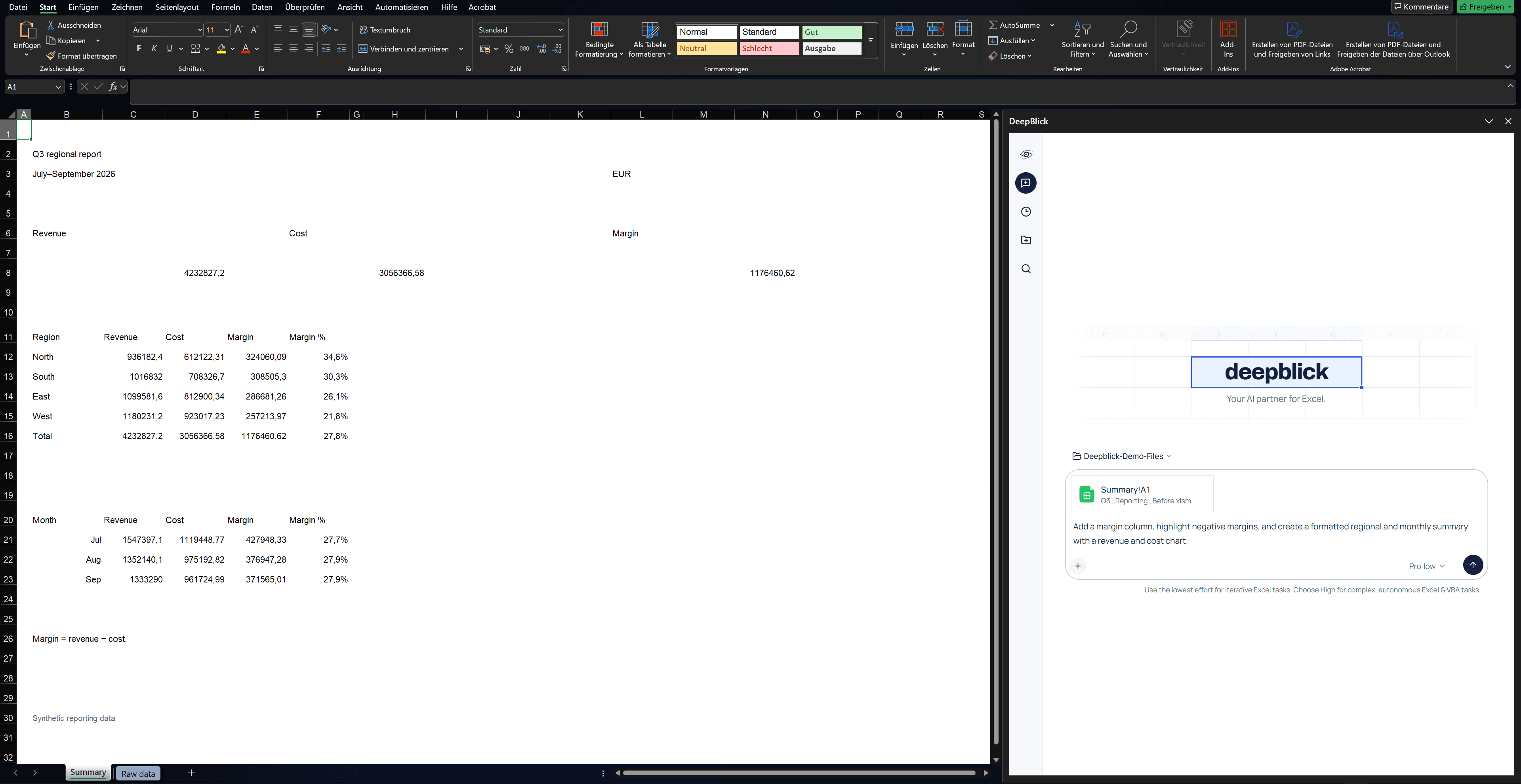
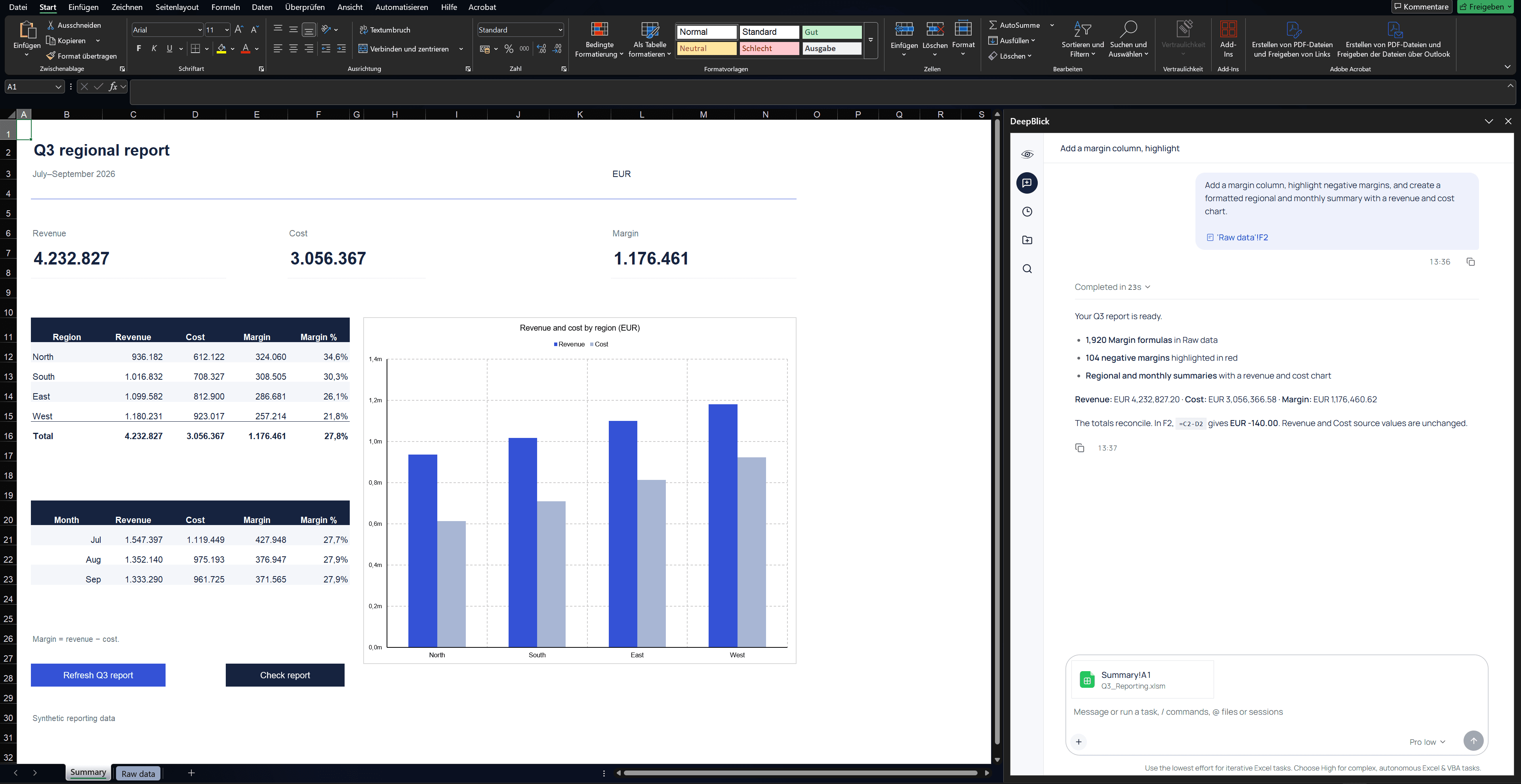
Write native Excel formulas that continue calculating as worksheet values change.
Apply number formats, table styling and conditional formatting to the ranges you choose.
Build charts from worksheet data through the VBA workflow.
Most Excel jobs start somewhere else. Deepblick finds files on your PC and imports the data into your workbook through VBA.
 when the analysis calls for it.
Deepblick runs Python with pandas and NumPy for one-off summaries, grouped calculations and joins.
Calculate totals and one-off summaries.
Break calculations down by region, category or period.
Combine exported datasets for your analysis.
Selected cells, tagged files and replies that link back to your sheet. The context belongs in the chat, right beside the work.
Select cells, then ask. Deepblick knows which workbook, sheet and range you mean.
Type @ in the chat and choose a source file so Deepblick can work from the files you specify.
Click a cell reference in a chat reply, and Excel jumps to that sheet and range.
Describe the outcome in plain language.
Review which files, imports and VBA the task needs.
Deepblick gets the data, runs the VBA, fixes what breaks and checks the result.
Schedule a request to run again, every week or every morning, while Excel is open.
An optional 30-minute call with the founders to discuss your recurring Excel task, walk through the workflow and answer your questions. The film on this website is a prepared simulation with synthetic data; it is not evidence of a completed agent task. A call is not required to download or install.
Desktop Excel on Windows. Excel for Mac and Excel for the web are not supported.
Yes. Describe the result in plain English and Deepblick writes the formulas, formats the ranges and builds the summary. When a job needs VBA, it writes and runs that too, so you don’t have to.
Yes, and it does not stop there. It works in the workbook you have open, and it can also find files on your PC, import their data, and build connections to other sources.
Both. It can list, read, search, edit, compile, and run the VBA already in the file. It can also create new modules when you need them.
No. In Goal mode you name the goal and approve the plan once; the agent then works through it on its own. You can also review changes step by step.
Deepblick reads back what it wrote. For macros it tells you three things separately: whether the run started, whether it finished without a runtime error, and whether it checked the result. A macro that started is not reported as one that worked.
Yes. Anyone can download and install a released Windows installer without a website account, code, payment or demo call. Prepare your task locally, then sign in with Microsoft in the app before AI usage and check your confirmed starting access. The planned free start includes 50 Credits once per verified account, valid for 30 days from the first actual use of those Credits, without payment details. It is not available yet. Check current access in the app before starting. Optional pilot codes remain separate, and already promised access is honoured on its agreed terms. A pilot never becomes paid access automatically.
Plus: €29 / month for 600 Credits. Power: €99 / month for 3,000 Credits. Max: €249 / month for 12,000 Credits. Same features and AI quality in every plan. Extra Credits: €29 once for 400 extra Credits, with no expiry or subscription required. No automatic top-up. Your monthly plan stays unchanged. Plans are being prepared. Checkout is not available yet. Prices are shown in EUR. Your country and tax details determine the final total shown before payment.
Credits measure the computing work behind your AI tasks. A task can contain several AI steps and use different amounts. Larger tables, longer conversations and more demanding tasks use more Credits. One Credit does not represent a fixed number of completed tasks. Check your confirmed remaining Credits, settled usage and pending work separately in the app. Each allowance keeps its own expiry date. Usage multipliers compare monthly Credits against Plus, not speed, features or AI quality.
New AI steps pause when available usage has been used or expired. Existing results remain available. You can review a higher monthly allowance or buy extra Credits when an offer is available for your account. Extra Credits need no subscription and do not change your monthly renewal. There is no automatic top-up or overage charge. A temporary wait while usage is reconciled does not require another purchase.
Use any “Book a demo” button and suggest a time that suits you for the 30-minute call. The founders confirm the slot by email.
A 30-minute call with the founders.
For desktop Excel on Windows.